- Platform & workspaces
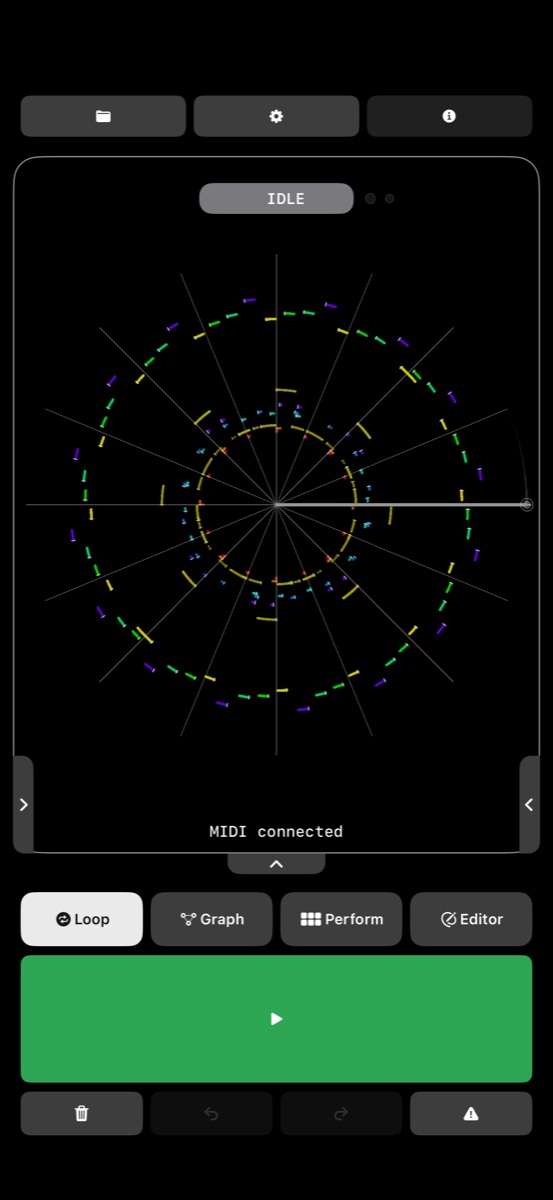
- iPhone and iPad. Loop, Graph, Perform and Editor workspaces; circular MIDI visualization, swipeable Tools pages and customizable Quick Tools.
- Recording & projects
- Live MIDI recording, looping and overdubbing; projects and loop slots; extended overdubs, automatic repetition of short takes, configurable behavior after recording, undo and redo.
- Loop trimming gestures
- Two-finger rotation trims or shifts the loop start; pinching adjusts the loop end. Rotation preserves the selected grid. Locked layers retain their timing through trimming and after unlocking.
- MIDI scrubbing & Tape Stop
- Circular dragging for forward and reverse scrubbing; optional note audition and pitch bend. Release inertia with friction and throw-strength controls. Hold for Tape Stop, with configurable bend range, stop time and resume time; independent up/down scrub bend ranges.
- Slice performance
- 4, 8, 16 or 32 divisions, onset detection and manual slice capture. Loop or One Shot playback and Grid/Free triggering. Pad editing with rotation for start and pinch for end. Keep a slice playing while switching to Pitch.
- Pitch & harmony
- Semitone, octave, key and scale controls; scale-degree performance; Simple and Advanced layouts; nearest and relative pitch modes, approach tones, secondary dominants and minor functions.
- Timing & dynamics
- Quantization, swing, timing and velocity humanization, velocity shaping, note-length controls, repeat, density and tempo adjustments.
- Auxiliary playheads
- Independent speed, direction, delay, pitch, MIDI channel and level. Use additional heads for echoes, reverse movement, canons and polymetric structures.
- Layers & Bake
- Overdub layer controls with mute and lock. Bake timing, pitch, velocity, swing, trims and auxiliary playheads into the current loop; humanize and density become a fixed variation. Modifiers reset and Bake establishes a new editing and undo baseline.
- Performance capture
- Record combined Slices and Pitch transformations into a new loop slot. Record complete performance mixes as stereo WAV files.
- Graph arrangement
- Connected loop slots, branching transitions and probabilities. Define playback paths or a recording route through empty slots. Tempo harmonization brings loops captured at different speeds to a shared performance tempo.
- Audio Freeze & Stack
- Layered audio capture and stacking, with individual mute, solo, level and lock controls. Select audio inputs and outputs; optional frozen-audio repitching and background audio. Multichannel capture requires compatible audio hardware.
- MIDI & expression
- CoreMIDI / MIDI 1.0, MPE support for per-note pitch bend, pressure and timbre, and MIDI channel controls. USB and Bluetooth MIDI connections for compatible controllers, hardware instruments and iOS apps.
- Routing & synchronization
- Device routing, per-loop MIDI routing, MIDI Event Matrix, MIDI Thru and feedback protection. MIDI Clock and transport synchronization; Bluetooth pairing and route selection.
- Hardware control & playback options
- MIDI Learn and controller commands for transport, arming, capture, Freeze, Clear, Panic, Undo and loop slots. Pedal-off-on-stop behavior, flam protection with adjustable window, CC visualization and CC carry repair.
- Import & export
- Standard MIDI File import and MIDI loop export; stereo WAV performance recordings; Audio Freeze stem export preserving native channel layouts.
- Experimental options
- Optional Turntable Visualizer in Experimental Features.
MIDI playback needs a connected sound destination, such as a hardware synth or a MIDI-capable instrument app. MPE expression requires compatible instruments and routing. See the App Store listing for current device requirements and availability.
 midilo